This guide explains the password format required to decrypt and view password-protected Income Tax AIS and TIS PDF statements downloaded from the official Indian e-filing portal. It covers the exact 18-character decryption rule, step-by-step decoding examples for individuals and businesses, identical TIS password rules, and actionable troubleshooting steps for password errors.
Filing your Income Tax Return (ITR) requires complete visibility over your financial transactions for the year. The Income Tax Department provides this through the Annual Information Statement (AIS) and the Taxpayer Information Summary (TIS).
When downloading these statements from the official e-filing portal, the system delivers them as password-protected PDF files to safeguard your sensitive financial data.
Entering the wrong password repeatedly causes unnecessary delays during tax season. Understanding the exact AIS password format ensures seamless access to your records on the very first try.
AIS Password: What Is It?
The AIS password is an automatically generated, standardized security code created by the Income Tax Department to protect your personal financial records. Because the AIS document aggregates sensitive details, including salary income, dividend payouts, interest earned on bank accounts, stock transactions, and mutual fund sell-offs, it is mandatory to protect the downloaded file from unauthorized access.
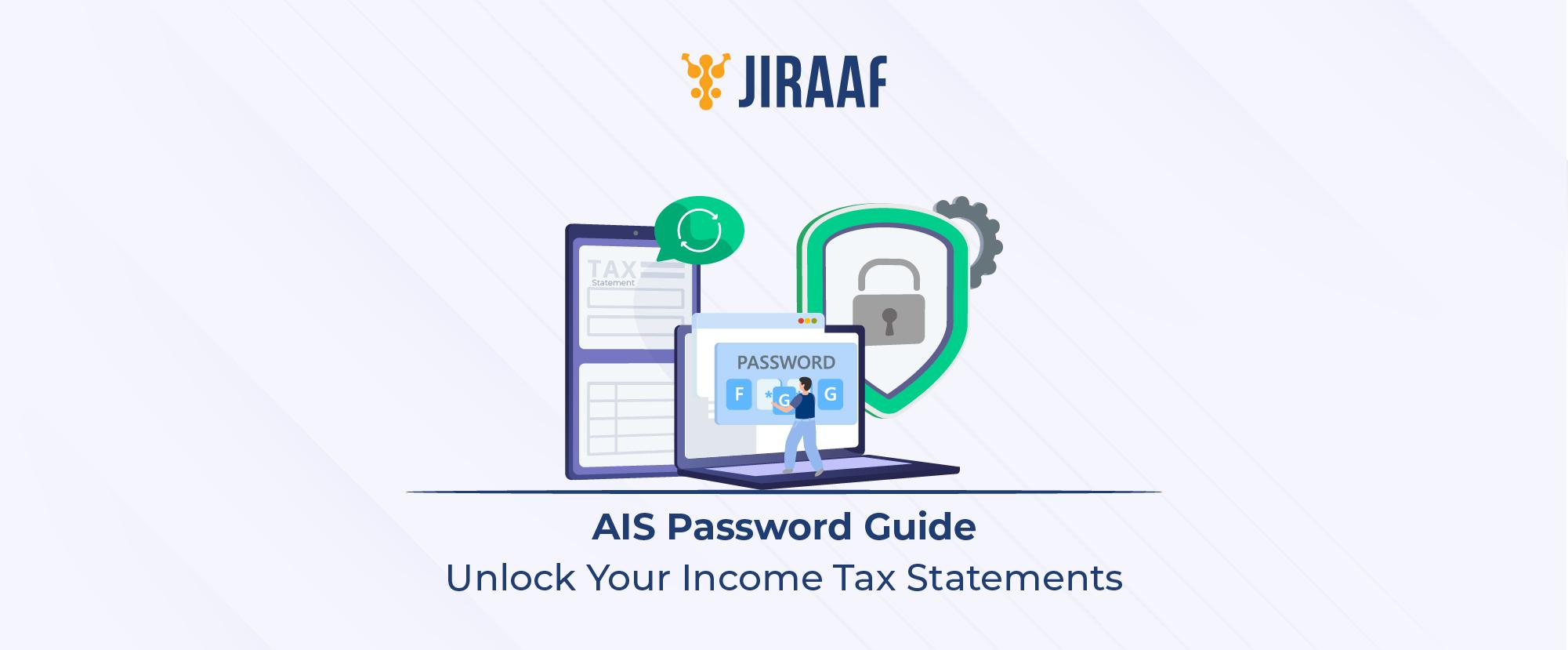
Taxpayers searching for AIS password should note that there is no need to set up a new password or register a special PIN. The system uses a fixed mathematical rule based on your existing profile details: your Permanent Account Number (PAN) and your Date of Birth (DOB) or Date of Incorporation.
AIS PDF Password = [10-Digit PAN in Lowercase] + [Date of Birth in DDMMYYYY]
AIS Password Format Explained
The standard password for AIS is an 18-character string combining your 10-character PAN written in lowercase and your 8-digit date of birth.
To apply the AIS form password correctly:
- PAN rule: Type your complete 10-digit PAN using lowercase (small) letters only. Do not use uppercase (capital) letters.
- Date of birth rule: Enter your date of birth strictly in the DDMMYYYY format (2 digits for Day, 2 digits for Month, and 4 digits for Year). Do not include slash marks (/), hyphens (-), or spaces between the numbers.
How the Password String Works
To make the rule easy to follow, let us break down a real scenario:
Suppose an individual taxpayer named Rajesh Kumar wants to open his AIS PDF.
- PAN: ABCDE1234F
- Date of Birth: 15th August 1990 (written as 15/08/1990)
Here is how he builds his AIS password step-by-step:
- Convert PAN to lowercase: ABCDE1234F becomes abcde1234f
- Convert Date of Birth to 8 digits: 15/08/1990 becomes 15081990 (removing all slashes)
- Combine both strings directly: abcde1234f + 15081990 = abcde1234f15081990
Summary of Different Taxpayer Types
| Taxpayer Name & Entity | PAN | Date of Birth/ Incorporation | Correct AIS Password | Why It Works |
| Rajesh Kumar (Individual) | ABCDE1234F | 15th August 1990 | abcde1234f15081990 | Lowercase PAN (abcde1234f) + 8-digit DOB (15081990). |
| Priya Sharma (Individual) | XYZPS9876K | 2nd January 1985 | xyzps9876k02011985 | Adds a leading zero for single-digit day and month (02 and 01). |
| Apex Traders (HUF/Business) | AAAHU5544R | 10th November 2005 | aaahu5544r10112005 | Non-individual taxpayers use Date of Incorporation/Formation instead of DOB. |
Password to Open AIS PDF
When downloading your tax documents, knowing the exact password to open the AIS PDF saves time and prevents file access lockouts. The file downloaded directly from the Income Tax portal is encrypted using standard PDF security protocols.
If you are wondering what the exact password for the AIS PDF is, follow these precise steps after saving the AIS PDF password-locked file to your device:
- Double-click the downloaded file (typically named AIS_XXXXXXXXXX_FY2025-26.PDF).
- When the prompt displays Enter Password or Document is Password Protected, click inside the input field.
- Type your PAN in small letters.
- Immediately follow it with your birth date in DDMMYYYY format without pressing space or adding special characters.
- Click Submit or press Enter.
Income Tax AIS Password
The income tax AIS password conventions remain consistent across all individual taxpayers, non-individual entities, and Hindu Undivided Families (HUFs). Whether you’re opening an AIS statement on a desktop PDF viewer, a mobile phone, or a web browser, the decryption pattern does not change.
Understanding the password of AIS helps keep your important income tax files accessible for your chartered accountant, financial advisor, or personal reference during ITR preparation.
Password for AIS and TIS
Alongside the AIS, the e-filing portal generates the Taxpayer Information Summary (TIS). It simplifies your tax filing by categorizing your reported transactions and presenting an aggregated value under each income head.
If you are searching for the password for AIS and TIS, or the password for TIS and AIS, note that both files share the identical encryption rule. The password for opening the TIS PDF is your lowercase PAN followed by your birth date (DDMMYYYY). You do not need a separate password for the AIS statement or the TIS document.
TIS PDF Password = [10-Digit PAN in Lowercase] + [Date of Birth in DDMMYYYY]
Password to Open AIS File
Whether accessing an AIS file on Android, iOS, Windows, or macOS, entering the password to open an AIS file follows the same principles.
To use the password to open an AIS PDF file without triggering an error, confirm that your system software is not altering the characters as you type. Once decrypted using the correct AIS report password, you can review your financial summary, submit feedback on wrong entries, or export the data into tax preparation software.
AIS Password Not Working: What to Check?
If your AIS password throws an “Incorrect Password” error, review these common entry mistakes:
- Capital letters in PAN: The most common mistake is entering your PAN in uppercase (e.g., ABCDE1234F15081990). The portal requires all letters to be lowercase (abcde1234f15081990)
- Incorrect date format: Avoid inserting punctuation marks like 15/08/1990 or 15-08-1990. Use numeric digits only: 15081990
- Single-digit month/day errors: For dates or months with a single digit, remember to add a leading zero. For example, March 4th must be written as 0403, not 43
- Spaces included: Do not insert spaces between your PAN and DOB
- Mismatched birth date: Ensure you are entering the birth date recorded on your official PAN card. If your actual birthday differs from your official government record, use the date registered in your PAN database
- Entity type variations: For non-individual entities like companies or trusts, use the Date of Incorporation or Formation instead of a personal date of birth
Conclusion
Opening your encrypted Annual Information Statement is simple once you know the standard combination rule. By combining your 10-digit PAN in lowercase letters with your 8-digit date of birth in DDMMYYYY format, you can access your encrypted PDF statements without hassle. Knowing this simple 18-character structure ensures smooth, error-free access to your financial records whenever you prepare your taxes.