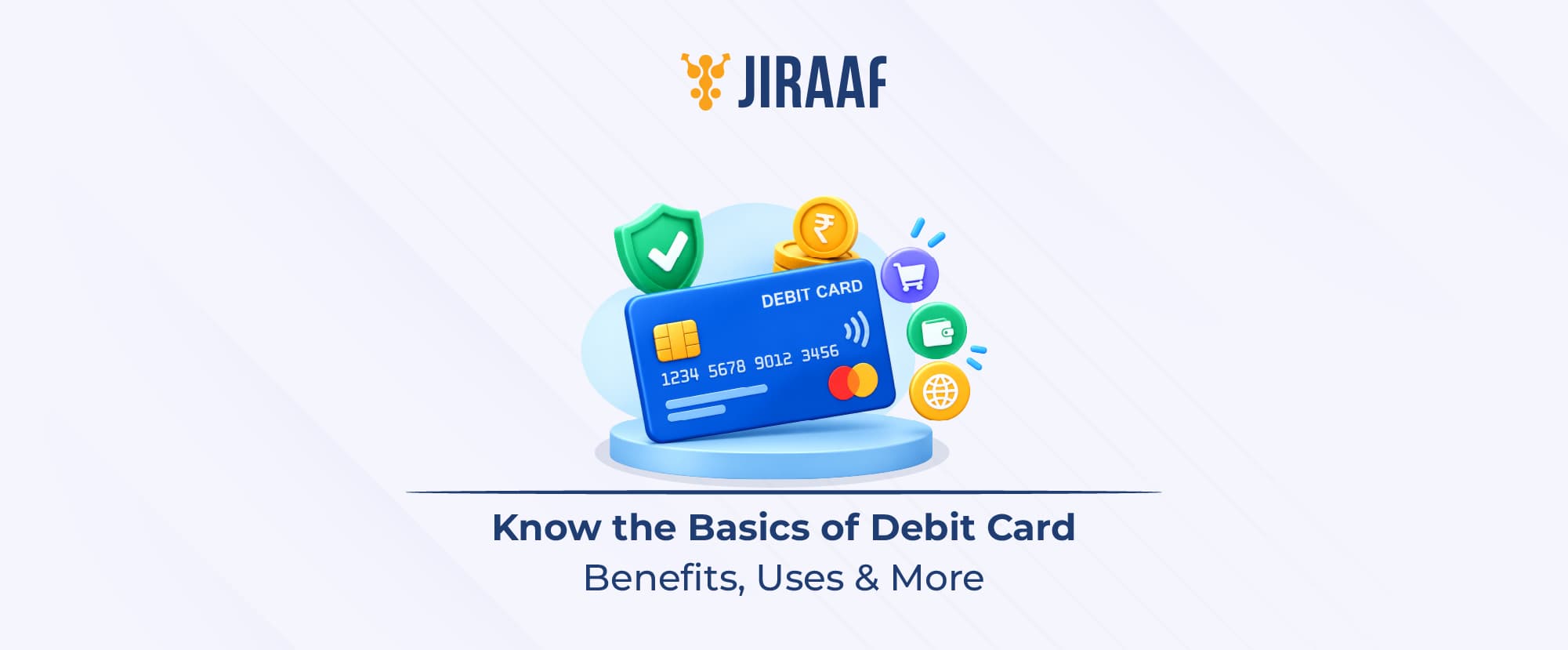
A debit card is a payment card linked directly to your bank account, allowing you to make purchases, pay online, and withdraw cash using your available balance. Unlike a credit card, it does not involve borrowing money.
Quick Summary –
- Debit cards let you make payments and withdraw cash directly from your linked savings or current account.
- You can use physical or virtual debit cards for ATM withdrawals, in-store purchases, online payments, and other card-based transactions.
- Your available account balance determines how much you can spend, while certain transactions may attract fees, and debit card usage does not build your credit history.
Today, you can leave home without cash, scan a QR code, and pay for almost anything. So, where does a debit card fit into India’s increasingly digital payment landscape? Quite a lot, actually. Your debit card can help you withdraw cash, pay at physical stores, shop online, and access services that use card payments.
Let’s break down what a debit card is, how it works, how you can use it, and what you should know before using one.
What is a Debit Card?
A debit card is a payment instrument issued by commercial banks, eligible NBFCs, or other authorized financial institutions. It is linked directly to your savings or current account, allowing you to make payments using your available balance.
A traditional physical debit card carries several key details and features, including the 16-digit card number, cardholder’s name, CVV, issue and expiry dates, signature panel, debit network logo, issuing bank logo and an electronic chip.
Unlike a credit card, where you borrow money and repay it later, a debit card deducts the transaction amount directly from the available balance in your linked bank account.
How to Activate a Debit Card?
You can usually activate a new debit card through your bank’s ATM, online banking, or phone banking service. The exact process may vary by bank.
Activate Through an ATM
If your bank supports ATM activation, follow these steps:
- Visit your bank’s ATM: Use an ATM operated by your bank.
- Insert your card: Insert the new debit card into the ATM.
- Enter the existing PIN: Enter the temporary or initial PIN provided by your bank.
- Set a new PIN: Follow the instructions to create your new ATM PIN.
- Complete activation: Once the PIN is changed successfully, your card should be ready to use.
Activate Through Online Banking
You can also activate your card through your bank’s online or net banking portal, if the facility is available:
- Sign in: Log in to your bank’s online banking account.
- Open card services: Go to the section for debit card management.
- Set or generate your PIN: Follow the on-screen instructions to create your ATM PIN.
- Finish the process: Complete the required verification steps to activate your card.
Activate Through Phone Banking
Some banks also allow customers to activate debit cards over the phone:
- Call your bank: Use the official customer care number provided by your bank.
- Verify your identity: Complete the security checks requested by the bank.
- Follow the prompts: Choose the debit card activation option and follow the instructions.
- Complete OTP verification: If required, enter the OTP sent to your registered mobile number.
Tip: Activation methods and requirements vary by bank. Always follow your bank’s instructions and use its official channels.
How Does a Debit Card Work?
A debit card lets you use money from your linked bank account for cash withdrawals, in-person purchases, and online payments. Here’s how you can use it across different modes.
How to Use a Debit Card for Different Transactions?
1. At ATMs
You can withdraw cash, check your balance, or change your PIN, depending on the ATM and bank.
2. In-person
You can pay at stores, malls, restaurants, and other outlets by inserting or tapping your card at a card terminal. Enter your PIN when required.
3. Online
You can shop, book travel tickets, or pay bills by entering your card number, expiry date and CVV. You may need an OTP or additional authentication to complete the payment.
Available facilities, transaction limits, and authentication requirements vary by bank and card.
What are the Benefits of a Debit Card?
A debit card gives you direct access to the money in your bank account, making everyday payments and cash withdrawals simpler.
1. Spend without borrowing
Your purchases are paid from the available balance in your linked bank account, so you don’t take on credit card debt for everyday spending.
2. Pay and withdraw with one card
You can use the same card for online and in-store purchases, as well as withdraw cash from ATMs when needed.
3. Keep everyday spending easier to manage
Because your spending is linked to your account balance, you can see the money leaving your account and set transaction limits or controls offered by your bank.
These features make debit cards convenient for everyday banking, but they also mean your money is directly exposed to the way you use and manage the card.
What are the Cons of a Debit Card
A debit card gives you easy access to your money, but that convenience comes with a few trade-offs.
1. Your available balance sets the limit
Unlike a credit card; a debit card generally does not give you a separate credit line. If your account does not have enough funds, you may not be able to complete the transaction.
2. Some transactions can attract charges
Depending on your bank and card, certain ATM withdrawals, international transactions or other services may carry fees. Check your bank’s applicable charges before using the card.
3. It does not help build your credit history
Since you are spending money already available in your bank account rather than borrowing from a lender, regular debit card usage does not build your credit history.
As digital payments become more common, debit cards have also evolved beyond the physical card in your wallet.
What is a Virtual Debit Card?
A virtual debit card is a digital extension of your debit card. Just like any other physical card, it contains a 16-digit unique card number, expiry date, and CVV. You can generate a virtual debit card from your bank’s official mobile app.
Here’s how you can make transactions through a virtual debit card:
- Generate your card: Open your bank’s mobile app and create or activate the virtual debit card.
- View your details: Access the card to find its card number, expiry date, and CVV.
- Make the payment: At checkout, select “Debit Card” and enter the virtual card details.
- Complete authentication: Verify the transaction using the OTP or other authentication method required by your bank.
The exact steps may vary depending on your bank and the virtual card it offers.
What are the Last 6 Digits of a Debit Card?
Your debit card follows a structure, with different parts serving different purposes. The last six digits aren’t a separate section on their own. Instead, they generally form part of the account-specific portion, with the final digit serving as a check digit.
- First 6 to 8 digits: These identify the card issuer and payment network and are generally known as the Issuer Identification Number (IIN) or Bank Identification Number (BIN).
- Middle digits: These make up the account-specific portion of the card number and help identify the individual card issued by the bank.
- Last digit: This is the check digit, which helps payment systems detect errors when the card number is entered.
Together, these sections make up the unique card number assigned to your debit card.
Conclusion
The way we pay may keep changing, but a debit card’s purpose remains simple: it gives you convenient access to your own money when you need it. Whether you tap a physical card, pay online, or use a virtual card, the underlying connection to your bank account remains the same.
What matters is knowing how that access works. Understanding your card’s features, limits, charges, and security measures can help you use it more confidently and avoid surprises. So, while a debit card may seem like just another payment method, it is ultimately a tool that connects your everyday spending with your bank account.